sweetgreen
- 4.8
- Rating
- 500.00K
- Installs
- Free
- Price

 Analysis by App-foxy
I started using sweetgreen with a simple goal: make ordering a salad or bowl less of a pause in my day. The app is free, focused on food and drink, and built by sweetgreen engineering. In practice, it is most useful when I already know roughly what I want and need a quicker way to place an order, repeat a familiar choice, and keep track of rewards.
That sounds straightforward, and much of the experience is. The parts that deserve closer attention are the moments around ordering: choosing the correct location, checking the order details before submitting, and knowing whether a problem belongs to the app or to the restaurant’s current availability. My overall impression is positive, but I would not treat it as a universal replacement for every way of buying food.
Where the ordering experience can slow you down
The first thing I noticed is that a restaurant app is only as convenient as the decision it helps you make. If I am in a hurry and already have a usual bowl in mind, sweetgreen reduces the number of steps between craving and checkout. If I am still deciding what to eat, the app does not remove that indecision. I still need to review the menu, select ingredients, and make sure the order matches what I actually want.
You May Also Like

 Blood Strike: 2.5 Anniversary
Blood Strike’s Loadouts Turn Every Drop Into a Tactical Gamble
A close look at Blood Strike’s custom loadouts: how fast access to signature weapons reshapes its battle royale rhythm, rewards preparation, and narrows the gap between fights.

 Pandora - Music & Podcasts
Pandora’s Music Is Easy to Start, but Harder to Recover
Pandora’s strength is its low-effort path from a seed to a station. Its weak spot is how much confidence it asks you to place in connection, setup, and quiet recovery.

 8 Ball Pool
 Is Built on Rivalries, Rematches, and Routine
A close look at the rivalries, rematches, shared routines, and unanswered safety questions that turn a quick pool match into a persistent mobile community.

 Samsung Music
’s Quiet Strength Is Playing What You Already Own
Its reach comes less from spectacle than from dependable access to a personal library. That simplicity is both the app’s strongest retention engine and its ceiling.

 AccuWeather: Weather Radar
AccuWeather Review: A Quick, Clear Forecast for Everyday Decisions
For everyday plans, the best forecast is the one you can understand quickly. AccuWeather makes rain timing, radar, and local conditions easy to act on, with a few trade-offs.

 Hill Climb Racing
Why Hill Climb Racing Still Turns Crashes Into One More Run
A tiny car, a bumpy hill and one more upgrade: Hill Climb Racing keeps resurfacing because its simple chaos makes every near-miss feel personal.
More From Our News Desk



That distinction matters for new customers. The cleanest workflow is to decide whether I am ordering for pickup or another available ordering option before I start customizing. Changing the plan halfway through can mean reviewing the location and order details again. I found it better to treat the first screen as a planning step rather than immediately filling the basket.
Location selection is another point where a few seconds of care can prevent frustration. A nearby restaurant may not be the most convenient one for the route I am taking, and the closest result is not automatically the right destination. Before submitting, I would check the selected store, the expected collection arrangement shown in the app, and the name of the order. This is especially useful when ordering from an unfamiliar neighborhood or while travelling across town.
Customization can also create small traps. A bowl that looks familiar may contain several choices that need to be confirmed individually. I recommend slowing down when changing ingredients, particularly if I am adapting a regular order for dietary reasons. The app can present the choices, but it cannot decide whether a substitution meets my personal needs. I treat the final review as a practical safety check, not as a formality.
The most important habit is to verify the complete order before payment or submission. I check the location, meal, additions, removals, and collection details in one pass. That habit is more reliable than assuming a previous order or saved preference will always match today’s plan.
The app’s public reception suggests that this approach works well for many people. It has an average rating of 4.8 from around 5.3 thousand ratings, with roughly 1 thousand written reviews. Those figures do not mean every order will be frictionless, but they do fit my experience of a focused tool that generally gets out of the way once the order is correctly prepared.
What to check before blaming the app
When an order seems unavailable, I first separate three possibilities: a problem with my device, a problem with the selected restaurant, or a temporary issue with the ordering service. That simple separation saves time. A missing option does not necessarily mean the application is broken; it may reflect what the chosen location can prepare at that moment.
I begin with the basics. I confirm that the app is installed from the official app store, that my internet connection is working, and that the application has finished loading rather than displaying an old screen. If pages behave strangely, I close and reopen the app before rebuilding the entire order. This is ordinary troubleshooting, but it is useful because it avoids making unnecessary changes to an otherwise correct setup.
The current version is 7.71.0, and the app supports devices running operating system version 7.0 or later. That makes compatibility worth checking on an older phone. If the device is below the minimum requirement, updating the operating system or replacing the phone may be the real solution; repeatedly reinstalling the app will not solve a compatibility limit.
Account setup is best handled when I am not standing in a queue. I enter details carefully, use an email address I can access, and make sure I can complete the sign-in process before I need lunch. If the app asks me to authenticate again, I avoid guessing repeatedly. I check the spelling of the account details and try the normal recovery route available on the sign-in screen.
I also keep the store choice visible in my mind while setting up an order. A successful login does not guarantee that the intended restaurant is selected. The account and the location are separate parts of the workflow, and confusing them can make a perfectly functioning app appear to have placed the order incorrectly.
For rewards, I would not assume that earning and using them work exactly like a discount code typed into a website. I review the order summary and any reward selection offered before confirming. This is one of the less obvious advantages of checking the final screen: it shows whether I am placing a normal purchase or applying the benefit I intended to use.
A reliable recovery routine when an order stalls
When an order does not progress, I avoid tapping the submit control repeatedly. Repeated attempts can make it harder to tell whether the first request succeeded. Instead, I look for an order confirmation, check the order history or account area if available, and inspect any message the app presents. The goal is to establish the order’s state before starting over.
If there is no confirmation, I rebuild the order in a controlled way. I note the restaurant, the main item, and any important changes, then reopen the app and create the order again. I do not make several unrelated edits at once. Changing the location, meal, and reward together makes it difficult to identify which step caused the trouble.
This is also where a useful trade-off appears. Recreating a simple order is usually faster than spending several minutes trying to rescue a confused basket. Recreating a heavily customized order is different: I take a screenshot or write down the ingredients first so I do not accidentally omit a change. That small preparation is particularly helpful when the meal has several removals or additions.
If the app closes during checkout, I check whether the order was actually accepted before trying again. I would rather spend a moment confirming the status than risk submitting two identical meals. If the status remains unclear, the restaurant itself is often the most direct place to verify what happened, especially when the collection time is close.
Another practical recovery method is to simplify the test. I can reopen the app, choose the same location, and see whether the menu loads without immediately customizing a full meal. If the basic menu works, the problem may be connected to a particular selection or account state. If even the location and menu fail to load, the issue is more likely broader than one ingredient choice.
I would also avoid changing several phone settings at once. Turning off network controls, deleting account information, and reinstalling the app together may erase useful clues. A calm sequence—check connection, restart the app, confirm the account, confirm the restaurant, then retry—usually gives a clearer result.
When the restaurant, connection, or device is the real issue
Food ordering has a physical side that no app can control. A restaurant may be busy, an item may be unavailable, or the expected collection timing may change. If the app shows a location but the in-store situation does not match what I expected, I treat the restaurant as part of the explanation rather than assuming the software caused it.
The same applies to network conditions. A weak connection can make a menu appear incomplete, leave a loading screen in place, or interrupt the transition to confirmation. I test another reliable connection if one is available, but I do not keep submitting the same order while the connection is unstable. Waiting for a clear result is safer than creating duplicate requests.
Device performance can matter too. On an older phone, switching rapidly between apps or running with very little free storage can make any ordering experience feel unreliable. Restarting the device and closing unnecessary apps are sensible general checks. They are not special sweetgreen tricks, but they help distinguish an application problem from a phone that is struggling generally.
There is also a human factor: I may be trying to solve the wrong problem. If I selected the wrong restaurant, the app may be working exactly as designed. If I expected an old favorite to be available and it is not shown, that does not automatically indicate a loading error. I first compare the screen with the result I actually need, then decide whether troubleshooting is justified.
For urgent meals, I prefer a backup plan. If the order is time-sensitive and the app remains uncertain, contacting the selected restaurant or using an ordinary in-person option may be more sensible than repeatedly refreshing. sweetgreen is a convenience tool, not a guarantee that every part of a busy lunch period will behave predictably.
Who benefits most from this app
I think the app suits regular sweetgreen customers best. The more often I return to the same restaurant and the more familiar I am with my preferred meal, the more valuable a dedicated ordering workflow becomes. It is also a good fit for someone who wants to place an order before leaving work, organize a pickup during a short break, or keep food ordering separate from a general delivery marketplace.
A realistic example is a weekday lunch between meetings. I select the restaurant near my next destination, rebuild my usual bowl, review the changes, and submit it before I leave the office. When I arrive, I am not deciding at the counter or trying to describe several ingredient changes aloud. The benefit is not only speed; it is having a written version of the order to review before it goes through.
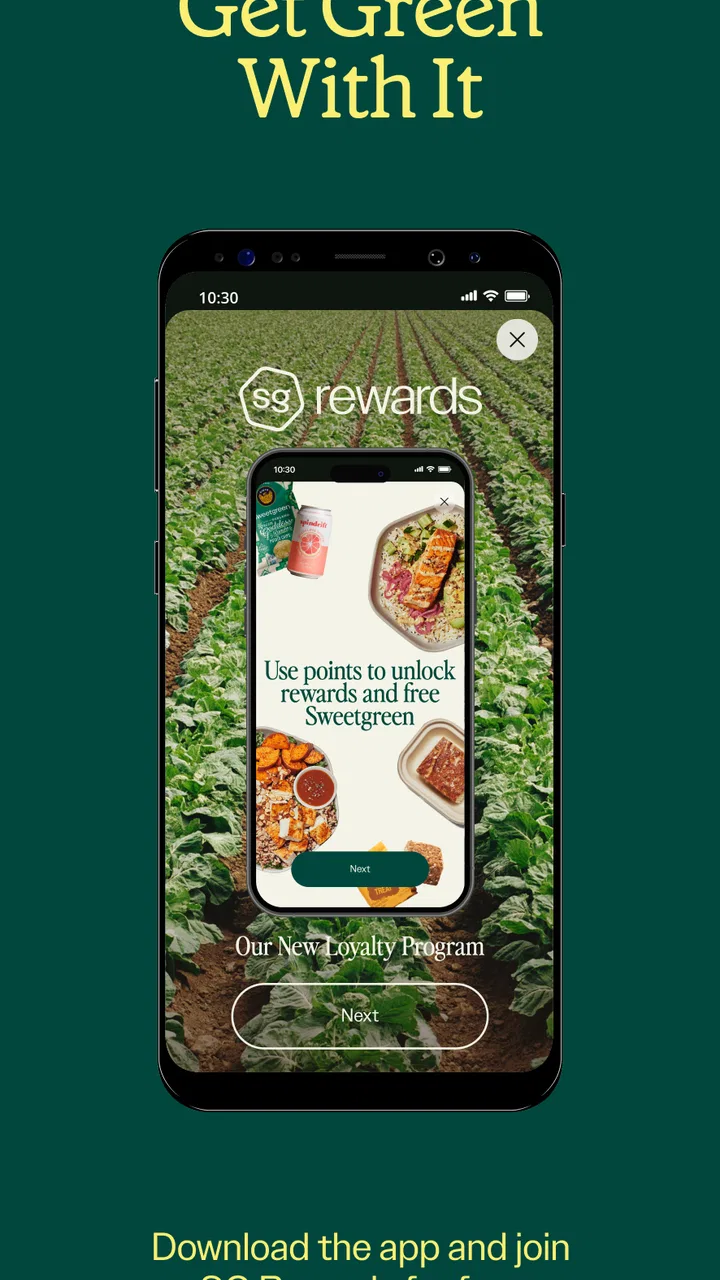
The rewards side can make repeated use more appealing. The app’s store summary centers on ordering and earning, and I found that the value is strongest when I already intend to buy from sweetgreen. Rewards may encourage me to use the app instead of a general food marketplace, but I would not choose a meal solely because a reward exists. The food, location, timing, and final total still matter more.
It can also help households or coworkers who place similar orders frequently, provided one person is willing to check every customization. The convenience comes from having the order organized digitally, not from assuming that a saved pattern is always correct for everyone. For shared meals, I would review each item carefully before submitting.
The app is less compelling for someone who rarely visits sweetgreen, wants to compare many restaurants in one place, or depends on broad delivery search. A general delivery service may be better when restaurant choice, distance comparison, and delivery coordination are the main priorities. The dedicated app wins when the destination is already decided.
How it compares with ordinary alternatives
Compared with ordering at the counter, sweetgreen gives me more time to inspect the meal and make deliberate changes. That is useful when I dislike rushing through ingredient decisions. The trade-off is that I must manage the digital details myself, including the location and confirmation. In person, a staff member may clarify a question immediately; in the app, I need to read carefully and know what I want.
Compared with a general delivery marketplace, the dedicated app feels more focused. I am not browsing a large collection of restaurants or comparing unrelated offers. That narrower scope is a strength for repeat customers and a weakness for anyone searching for the cheapest or fastest option across several businesses.
Compared with a mobile browser, a dedicated application can feel more natural for repeat use because the ordering task is kept in one place. However, I would not install it just for a single visit if I already have a smooth alternative and do not expect to return. The choice depends on frequency: regular customers gain more from the focused workflow than occasional visitors.
One non-obvious trade-off is that convenience can make mistakes easier to repeat. A familiar order is quick, but quickness can encourage me to confirm without noticing that I selected a different restaurant or left an unwanted ingredient in place. The app is strongest when I use its speed together with a deliberate final review.
What the app is like as a long-term choice
sweetgreen is free and carries an Everyone content rating, so it is approachable for a broad audience. It has been available since February 5, 2013, and the current release is 7.71.0. The app has passed the early novelty stage: I judge it less as a clever extra and more as a practical ordering companion for people who already use the restaurant.
Its scale is also notable, with more than 500 thousand installs. That level of adoption, combined with the strong average rating, makes it easier for me to view the app as an established part of the sweetgreen experience rather than an experiment. Still, popularity cannot remove the need to check a specific order. A widely used app can still encounter a temporary connection, account, or restaurant issue.
The developer is sweetgreen engineering, which is fitting for an app closely tied to the restaurant’s own ordering process. My practical expectation is not that it will behave like a full food marketplace. I expect a direct route into sweetgreen’s menu, ordering flow, and rewards experience, and I judge it on how well it handles those jobs.
For someone considering installation, I would prepare the account before a busy meal, confirm the device meets the minimum operating-system requirement, and place the first order when there is enough time to check the result. After that, the routine becomes easier. I would keep the app for frequent visits, but skip it if I mainly want restaurant comparison or a single occasional order.
My final view is favorable with a clear condition: use sweetgreen when you have chosen sweetgreen, not when you are still choosing where to eat. It makes repeat ordering, customization, and rewards more manageable, while its limitations appear when location availability, connectivity, or timing becomes uncertain. With a careful setup and a final order check, I would recommend it to regular customers and anyone who values a direct, focused way to arrange a meal.
FAQs for sweetgreen
01What is sweetgreen and how does it work?
Sweetgreen is a mobile app that allows users to order fresh, healthy salads and bowls from their local sweetgreen restaurant. The app provides an easy-to-use interface where you can customize your meal, select pick-up or delivery options, and pay securely. It also offers features like loyalty rewards and exclusive promotions.
02Is the sweetgreen app available on both Android and iOS?
Yes, the sweetgreen app is available for download on both Android and iOS devices. Users can find it on the Google Play Store for Android and the Apple App Store for iOS, ensuring easy access to healthy meal options no matter which platform they use.
03Does sweetgreen offer any dietary options or customizations?
Sweetgreen caters to a variety of dietary preferences and restrictions. The app allows users to customize their orders, choosing from different bases, proteins, toppings, and dressings. This flexibility makes it suitable for vegetarian, vegan, gluten-free, and other dietary needs, ensuring a meal that fits your lifestyle.
04Are there any loyalty or rewards programs available in the sweetgreen app?
Yes, the sweetgreen app includes a loyalty program where users can earn points with each purchase. These points can be redeemed for discounts or free items in future orders. The app also occasionally offers exclusive promotions and discounts to its loyal users, enhancing the overall value.
05How does sweetgreen handle delivery and pick-up options?
Sweetgreen provides both delivery and pick-up options through the app. Users can select their preferred method during the ordering process. For delivery, the app will provide an estimated time and tracking information. For pick-up, it will notify you when your order is ready, streamlining the entire process.
Pros
- User-friendly interface for easy navigation.
- Wide variety of healthy meal options.
- Quick and convenient ordering process.
- Real-time updates on order status.
- Loyalty program rewards frequent customers.
Cons
- Limited delivery areas restrict access.
- Occasional app crashes disrupt service.
- Customization options can be limited.
- Higher prices compared to competitors.
- Requires internet for full functionality.

sweetgreen
Gallery